This article includes the following topics:
- Exporting users from Reckon
- Importing users into easyemployer
Exporting users from Reckon
1. Click Reports
2. Click Employees & Payroll
3. Click Employee contact list
4. Click Modify Report
5. Select All columns by clicking and dragging down the list
6. Click Ok
7. Click Export
8. Select A comma separated values (.csv) file as shown in the following picture:
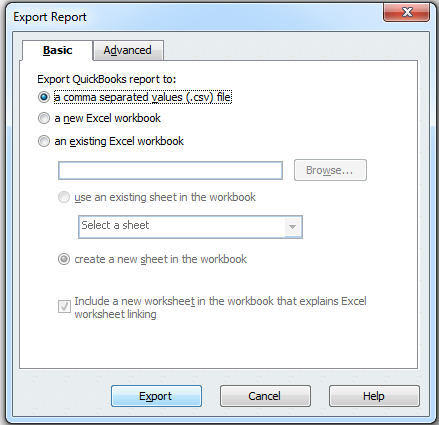
9. Click Export
10. Enter a file name and click Save
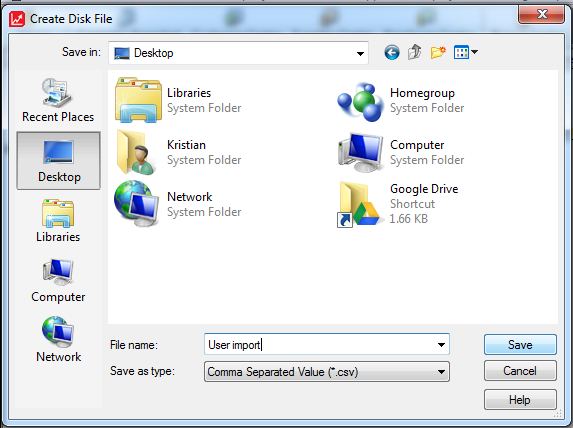
Note: You can Memorise the report to save the format for later use. To access a memorised report, click Reports -> Memorised reports to access saved reports.
Importing users into easyemployer
Once the user file has been obtained from QuickBooks follow the Importing users via export file guide