This article includes the following topics:
- Exporting entitlement balances from Reckon Accounts Enterprise
- Importing entitlement balances into easyemployer
How to export entitlement balances from Reckon Accounts Enterprise
1. Click Reports
2. Click Employees & Payroll
3. Click Leave Liability Report
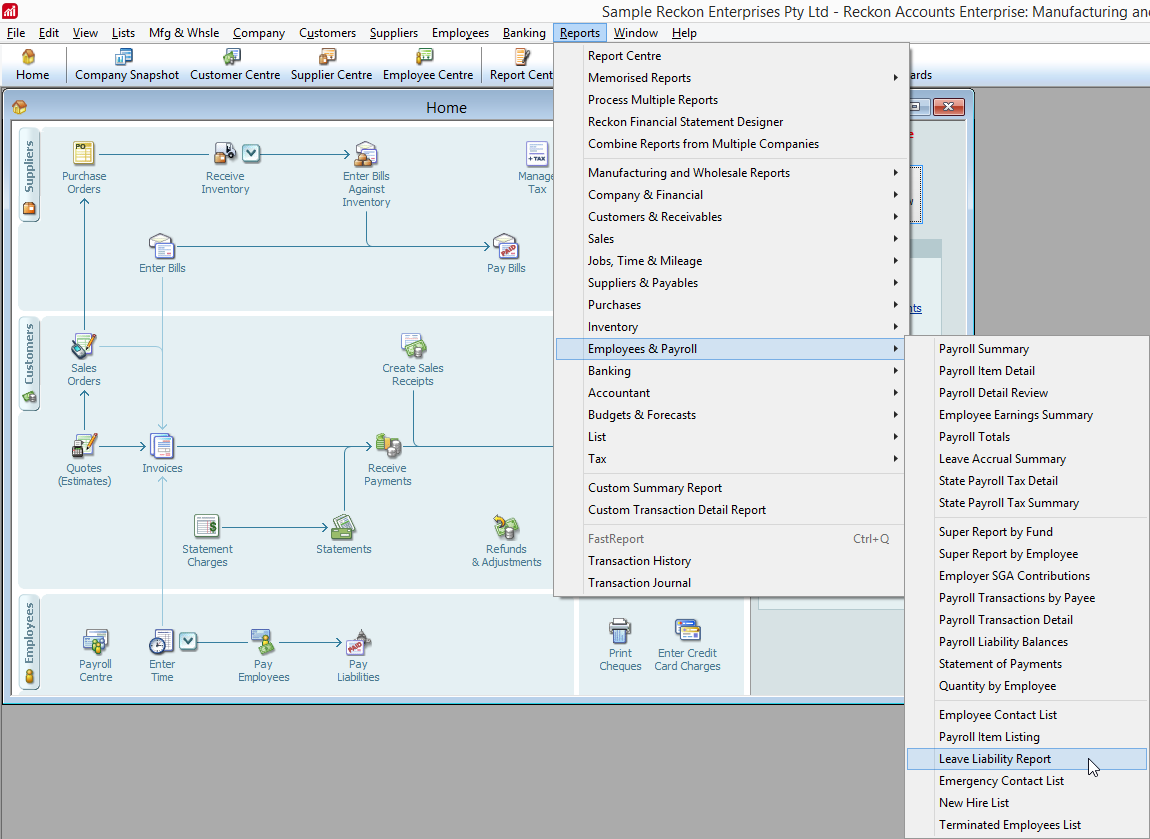
4. Click Export
5. In the Export Report dialogue, select
- a comma separate vlues (.csv) file

6. Click Export
7. Enter a file name and click Save

Importing entitlement balances into easyemployer
Once the entitlement file has been obtained from QuickBooks, follow the Importing entitlement balances into easyemployer guide