This article includes the following topics:
- Exporting users from Reckon Accounts Enterprise
- Importing users into easyemployer
How to export users from Reckon Accounts Enterprise
1. Click Reports
2. Click Employees & Payroll
3. Click Employee contact list

4. Click Modify Report
5. Select All columns by clicking and dragging down the list
6. Click Ok
7. Click Export
8. In the Export Report dialogue
- Select A comma separated values (.csv) file as shown in the following picture:
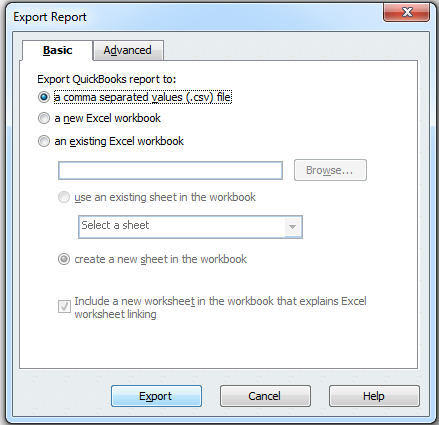
9. Click Export
10. Enter a file name and click Save
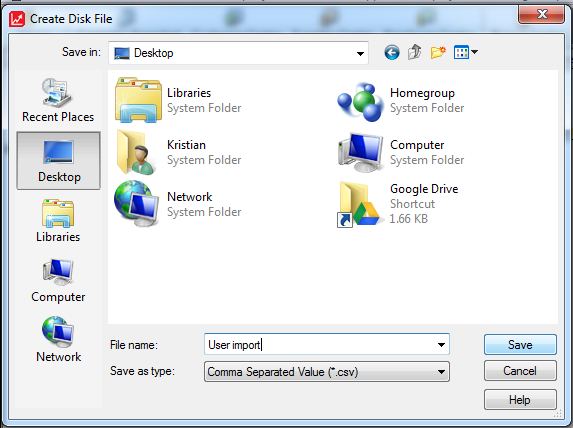
Note: You can Memorise the report to save the format for later use. To access a memorised report, click Reports -> Memorised reports to access saved reports.
Importing users into easyemployer
Once the user file has been obtained from QuickBooks follow the Importing users via export file guide